
RENAULT ISK CALCULATION SERVICE
MD1CS006 EMS3160 SID321 EMS3140 EMS3161 EMS3141 EMS3125 EMS3120 EMS3155 EMS3150 SID309 SID310 SID307 and many others.
Price of one ISK calculation renault :
ISK calculation renault for €59
Please read the terms and conditions : Terms of payment and terms of use for this service
We are making our own data collection tool available for all passthru interfaces.
I would also like to remind you that the data required for ISK calculations can be collected using the UNICAN emulator from software version 2.02 onwards.
Data for calculations can also be collected using any CAN bus analyzer/logger such as Canary, CANhacker, I/O Terminal, UHDS and others – for this purpose you need to upload clean CAN bus logs.
The service consists in calculating the ECU-derived 6-byte synchronisation code called ISK for the Renault immobiliser system communicating via the CAN bus.
Calculations are possible for all controllers ECU with a first-generation CAN immobiliser system implemented by around 2020.
Although the calculation is possible for all ECUs, it is most necessary for ECUs using the HSM hardware security module for data transfer and decryption, as reading the ECU contents does not allow the ISK values in the eeprom and flash areas to be found anyway.
Version ISK logger for all J2534 passthru interfaces
The software is protected by a packer. Use the provided SHA-1 hash (3808c7073528494b8d3eb0fecba17db584758f6a) to set an antivirus exception and validate the executable.
How to use :
To collect the data, connect the ECU on the table according to the diagrams available for the vehicle it came from.
We then connect the J2534 passthru interface to the power supply and the CAN lines from pins 6 and 14 of the interface to the CAN data line of the engine controller we are working on
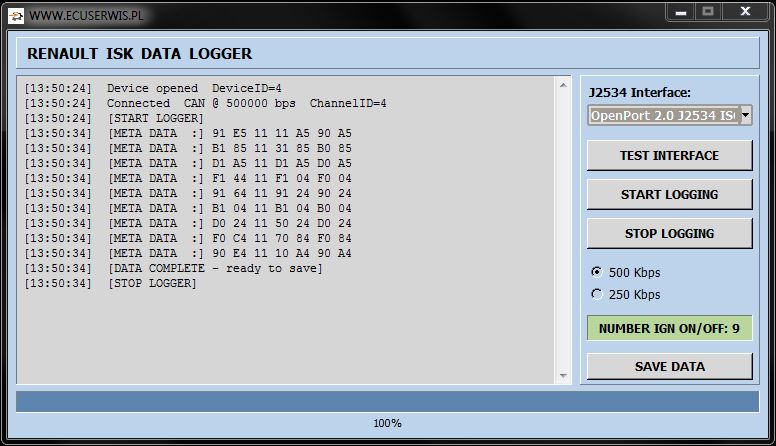
When everything is connected, press the START LOGGING button in the logger programme.
After pressing the ‘Start’ button, switch on the power to the ECU module (set to IGN ON).
Information is collected when the power to this ECU is cycled on and off, the number of cycles is set to 9.
When the programme has collected enough information, it will display it and issue a message to complete the logging process.
The calculation is based on the collected CAN query meta data from the ECU to which we want to retrieve the synchronisation code called ISK.
The data collected must be saved and sent to us and we will calculate the ISK code on its basis.
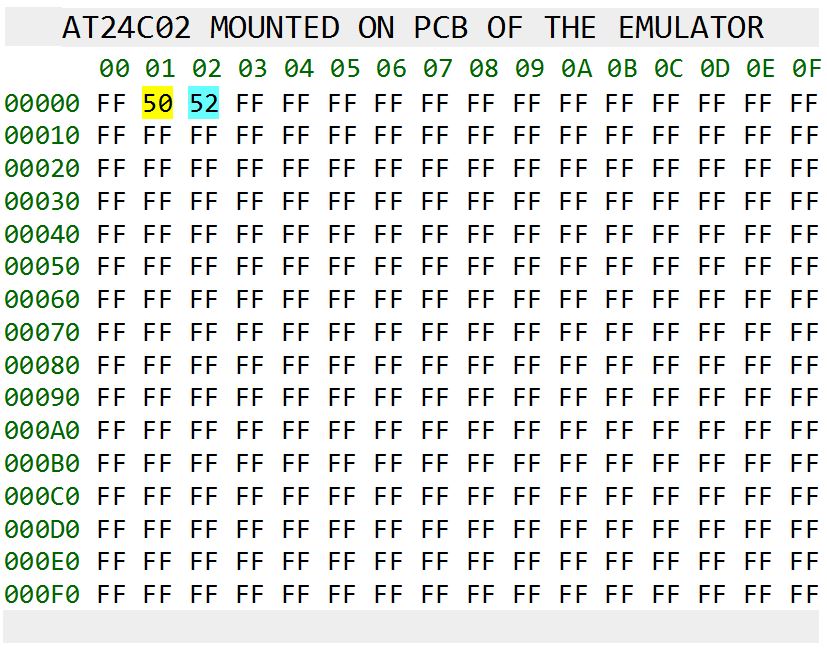
A brief guide on how to switch UNICAN to ISK logger mode.
In the cell at address 0x01, we enter CAN bus speed value 50 or 25, which gives 500 Kbps or 250 Kbps respectively.
Setting the value 0x52 in the cell at address 0x02 switches UNICAN to metadata collection mode for ISK calculations.
It is essential that the emulator’s power supply remains constant whilst data is being collected (not terminal 15, ONLY terminal 30).
The ECU, on the other hand, should have a switchable power supply – i.e. terminal 15 as standard and an ECM relay.
Information is collected when the power to this ECU is cycled on and off, the number of cycles is set to 9.
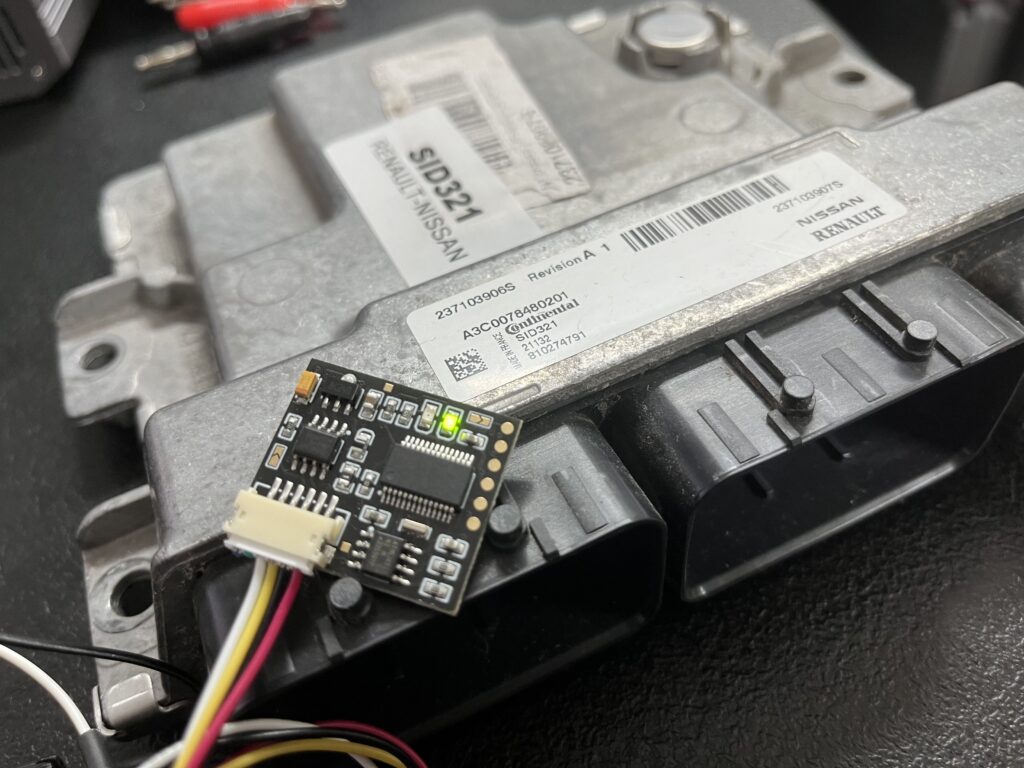
Thanks to the recovery the ISK synchronisation code, the UNICAN emulator can be used to unlock the ECU.
Thanks to the ISK readout, we now have the possibility of reading out ECU control units which can only be read out in the car after the immobilizer has been deactivated, e.g. the EMS3125, SID309 and others.
We simply enter the ISK into the UNICAN emulator connect it to the ECU on the table and have an open reading.
If you are an EU-based automotive electronics company, you can send us an ECU unit for ISK code recovery service – please contact us or to one of My distributors .
In order to use this solution, the customer must be qualified as an automotive electronics technician and have the necessary diagnostic tools and wiring diagrams.
In the event of problems and the need for technical support, a CAN bus analyzer will be required in addition to the ECU files, as well as the ability to operate it.